0단계 - 설명 좀~~
- tistory 사용하면서 단축키를 추가하고 싶다고~~
1단계 - 관리 -> 스킨편집 -> html 편집을 연다!
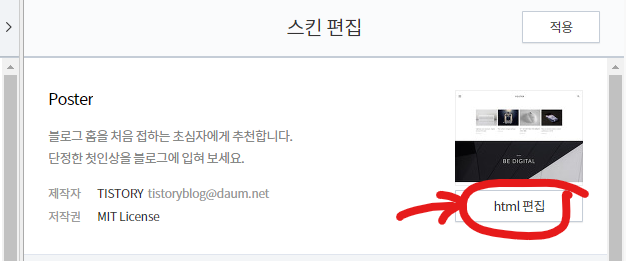
- 관리 > 스킨 편집 > html 편집 찾을 연다!!!

2단계 - <head> ~ </head> 사이에 다음코드를 추가한다.
<script type="text/javascript">
var key = new Array();
key['m'] = "/admin/entry/post/?id=" + location.pathname.split('/')[1];
key['w'] = "/manage/newpost";
key['s'] = "/manage/statistics/blog";

function getKey(keyStroke)
{
	if ((event.srcElement.tagName != 'INPUT') && (event.srcElement.tagName != 'TEXTAREA'))
	{
		isNetscape=(document.layers);
		eventChooser = (isNetscape) ? keyStroke.which : event.keyCode;
		which = String.fromCharCode(eventChooser).toLowerCase();
		for (var i in key) if (which == i) window.location = key[i];
	}
}
document.onkeypress = getKey;
</script>
- m : 글 수정 단축키 추가
- w : 글 쓰기 단축키 추가
- s : 통계 화면 바로 가기 추가

3단계 - 적용 버튼을 클릭한다.
