본문 바로가기

kubernetes

helm install bitnami/RabbitMQ 설치

0단계 - 왜? 하는거요?

  • 음..레빗MQ가 정말 유명하잖아요
  • 메세지큐로는 최고 아닌가요?
    • 잘 몰라서리;;;
    • 암튼 유명한것은 사실!!!
  • 일단 helm 으로 bitnami/rabbitmq을 한방에 설치해보겠습니다. 

1단계 - helm install myrabbitmq --image=bitnami/rabbitmq

helm repo add bitnami https://charts.bitnami.com/bitnami
helm install my-rabbitmq bitnami/rabbitmq


[root@vmaster ~]# helm install my-rabbitmq bitnami/rabbitmq
NAME: my-rabbitmq
LAST DEPLOYED: Sat Mar 19 10:58:46 2022
NAMESPACE: default
STATUS: deployed
REVISION: 1
TEST SUITE: None
NOTES:
CHART NAME: rabbitmq
CHART VERSION: 8.30.1
APP VERSION: 3.9.13** Please be patient while the chart is being deployed **

Credentials:
    echo "Username      : user"
    echo "Password      : $(kubectl get secret --namespace default my-rabbitmq -o jsonpath="{.data.rabbitmq-password}" | base64 --decode)"
    echo "ErLang Cookie : $(kubectl get secret --namespace default my-rabbitmq -o jsonpath="{.data.rabbitmq-erlang-cookie}" | base64 --decode)"

Note that the credentials are saved in persistent volume claims and will not be changed upon upgrade or reinstallation unless the persistent volume claim has been deleted. If this is not the first installation of this chart, the credentials may not be valid.
This is applicable when no passwords are set and therefore the random password is autogenerated. In case of using a fixed password, you should specify it when upgrading.
More information about the credentials may be found at https://docs.bitnami.com/general/how-to/troubleshoot-helm-chart-issues/#credential-errors-while-upgrading-chart-releases.

RabbitMQ can be accessed within the cluster on port  at my-rabbitmq.default.svc.

To access for outside the cluster, perform the following steps:

To Access the RabbitMQ AMQP port:

    echo "URL : amqp://127.0.0.1:5672/"
    kubectl port-forward --namespace default svc/my-rabbitmq 5672:5672

To Access the RabbitMQ Management interface:

    echo "URL : http://127.0.0.1:15672/"
    kubectl port-forward --namespace default svc/my-rabbitmq 15672:15672

 2단계 - id / password 알아내기

  • 1단계에서 bitnami/rabbitmq 설치 시 알려준 방법으로 사용자와 패스워드를 알아낸다.
echo "Username      : user"
echo "Password      : $(kubectl get secret --namespace default my-rabbitmq -o jsonpath="{.data.rabbitmq-password}" | base64 --decode)"
echo "ErLang Cookie : $(kubectl get secret --namespace default my-rabbitmq -o jsonpath="{.data.rabbitmq-erlang-cookie}" | base64 --decode)"
  •  ErLang Cookie는 왜 필요한거지?
    • 쿠키를 주시나^^? 지송합니다. 이런 아재개그를 하다니;;;;;

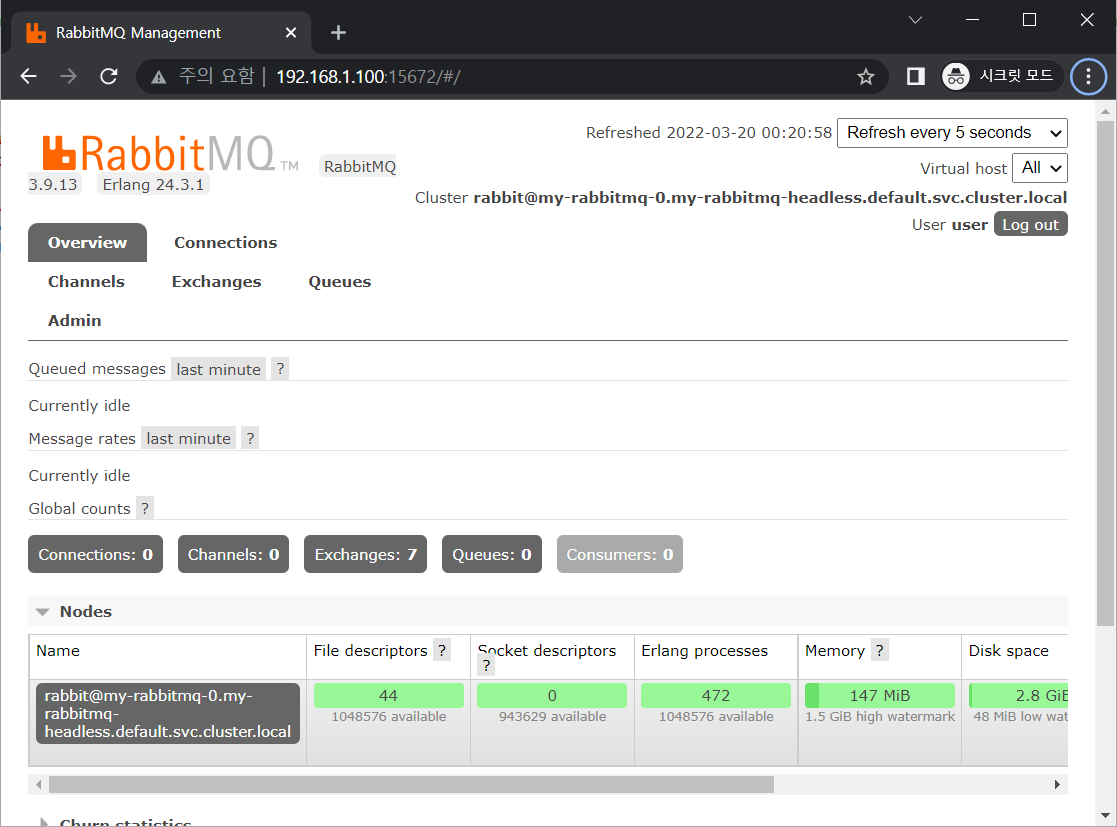
4단계 - 관리 콘솔 접속 해보기^^

echo "URL : http://127.0.0.1:15672/"
kubectl port-forward --namespace default svc/my-rabbitmq 15672:15672
  • 음 서비스를 만들어서 노출시키는 것이아니고 포트포워딩을 해서 접속하는군요...
  • 접속해보겠습니다.

  •  예 접속이 잘됩니다.

5단계 - 큐만들어보기

  • 다음 처럼 큐를 추가해본다.

  • 일단 여러가지 옵션들은 무시하고 이름만 입력하고 생성해본다.
    • 아주 쉽게 잘 만들어진다. 

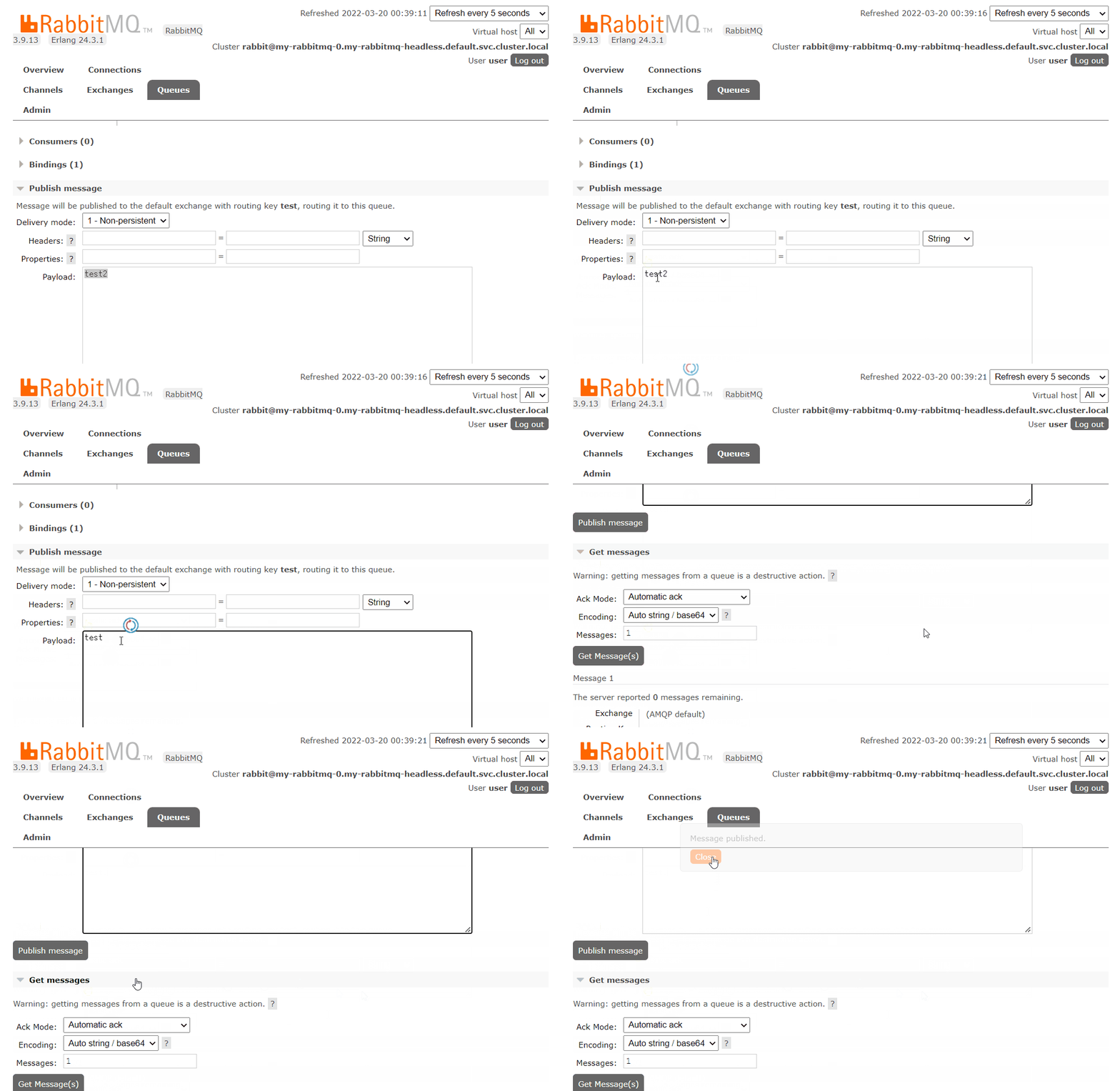
6단계 - 메시지 퍼브리쉬(publish)하기


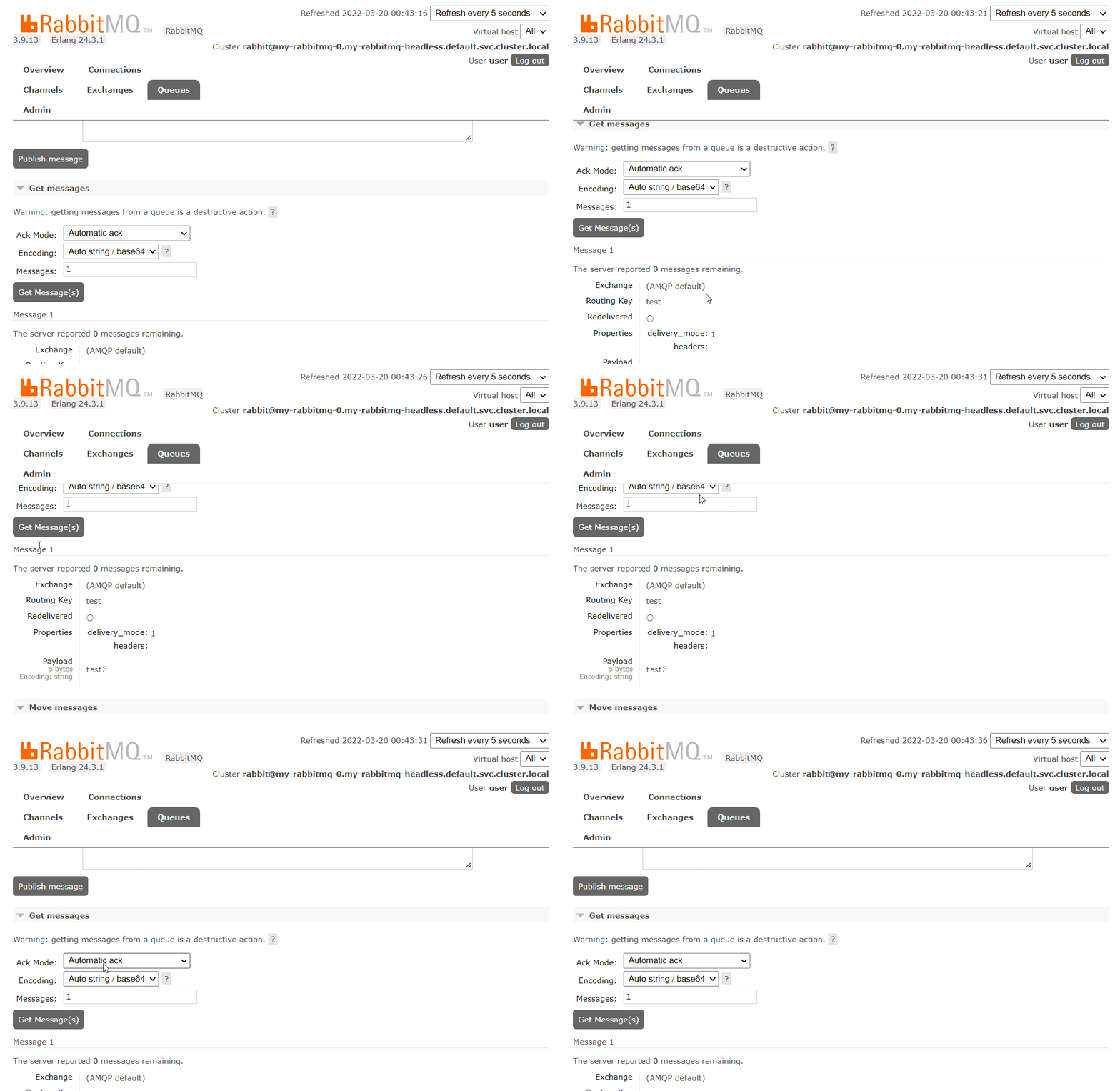
7단계 -  메시지 Get하기

  • Ack Mode 를 "Automatic ack"로 해서 Get Message를 하면 새로운 메시지만 받아오는군요.
    • 그리고 더 이상 메시지가 없으면 "Queue is empty"라고 경고메시지도 보여주는군요.
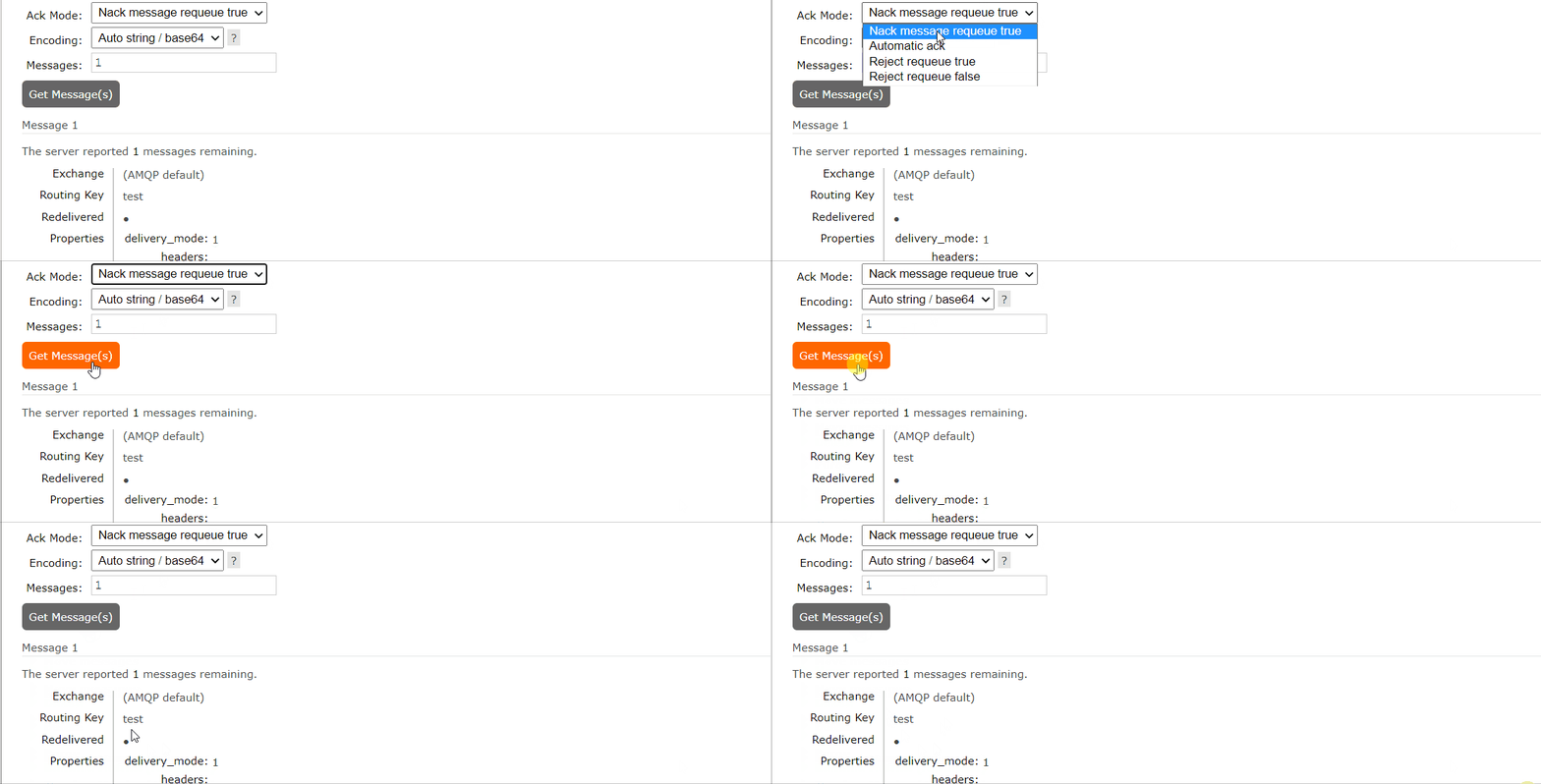
  • 그런데, Ack Mode를 "Nack message requeue true" 로 하면

  •  메시지를 처음 부터 받아오기 때문에 Queue is empty라는 경고메시지 박스가 뜨지 않는군요...

import pika

def callback(ch, method, properties, body):
    print(" [x] Received %r" % body) 

credentials = pika.PlainCredentials('user', '2Q1eHhQu2M')
connection = pika.BlockingConnection(pika.ConnectionParameters(
    'my-rabbitmq.default.svc.cluster.local',5672,'/',credentials))
channel = connection.channel()
 
channel.queue_declare(queue='test2')

channel.basic_publish(exchange='',
                      routing_key='test2',
                      body='Hello World!')
print(" [x] Sent 'Hello World!'")
  •  basic_publish()의  routing_key에 큐 이름이 들어가야 정상작동하는구나
import pika
import time
 
credentials = pika.PlainCredentials('user', '2Q1eHhQu2M')
connection = pika.BlockingConnection(pika.ConnectionParameters(host='my-rabbitmq.default.svc.cluster.local', port=5672,  credentials=credentials))
channel = connection.channel()
 
channel.exchange_declare(exchange='demo_exchange_direct', exchange_type='direct')
channel.queue_declare(queue='test2')
 
def callback(ch, method, properties, body):
    time.sleep(1)
    print (body)
 
channel.queue_bind(exchange='demo_exchange_direct', queue='test2')
 
channel.basic_consume('test2', callback,
                      auto_ack=True)
 
print ('start consuming')
 
channel.start_consuming()
  • callback() 함수에서 body가 넘어오는구나
  • basic_consume() 이 함수에 토픽과 콜백 함수막 적어주면...일다는 되군구나!!!

참고